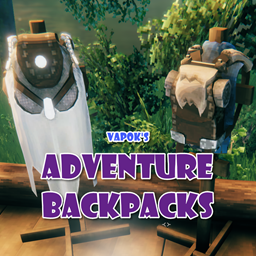
AdventureBackpacks
A Valheim Mod to add a catalogue of Adventuring Backpacks to the Game. These packs will grow and become more useful as the game progresses.
Count reflects players who opted into telemetry in this mod's config. Thank you for sharing your data to support active development!
🎒 Adventure Backpacks
A progression-based adventuring backpack mod for Valheim.





Starting as a wee Viking rummaging through the tranquil fields of the Meadows, you’ll gather materials that lead to your destiny. From Deer Hide and Leather Scraps to mystical Wisp-infused fabrics, you’ll learn how to craft, upgrade, and customize your very own Adventure Backpacks! Go forth and wander, ye wanderer of the wanders!

🧭 How to Use Adventure Backpacks
- 🔨 Discover & Craft: As you explore biomes, defeat creatures, and collect new materials, you will unlock recipes for Adventuring Backpacks.
- 🎒 Open Your Backpack: The default hotkey is I to open your equipped backpack. Fully customizable for Keyboard, Mouse, and Gamepad / Controller inputs.
- 🛠️ Craft From Backpack: Build with the hammer or craft at stations using supplies stored in your equipped backpack without needing to manually move materials.
- 📥 Auto Store & Overflow: Route gathered loot into matching backpack stacks or overflow new items into your backpack when your main inventory is full.
- 📈 Progression & Upgrades: Each backpack features unique inventory sizing, carry weight bonuses, movement speed modifiers, and environmental perks. Upgrading your backpack at a workbench or forge expands capacity and strengthens bonuses.
- ⚙️ Full Customization: Almost every aspect of these backpacks (sizes, recipes, drop chances, effects, and weight multipliers) can be tailored via configuration files or the in-game Configuration Manager.
📦 Backpack Catalogue
| Backpack | Biome / Tier | Description & Key Traits |
|---|---|---|
| Satchel | 🌸 Meadows | A small, lightweight starter pack crafted from early Meadow materials. |
| Rugged Backpack | 🌲 Black Forest | A sturdy leather pack complete with brass buckles and fine strapping. |
| Bloodbag Wetpack | 🐸 Swamp | A durable Swamp pack sealed with bloodbags; grants the Waterproof perk. |
| Arctic Sherpa Pack | ❄️ Mountain | An insulated Mountain pack fit for freezing treks; grants Frost & Cold Resistance. |
| Lox Hide Knappsack | 🌾 Plains | A massive Plains pack made from thick, durable lox hide with high carry capacity. |
| Explorers Wisppack | 🌫️ Mistlands | A mystical backpack with a Box of Holding, built-in Demister / Wisplight, and Slow Fall. |
| Cinderward Pack | 🔥 Ashlands | Forged with Flametal ribs and charred bone; grants Frost/Cold Immunity, Heat & Fire Resistance, and reduces attack & block stamina costs. |
| Frostbound Haversack | 🧊 Deep North | Moose hide over a frost core; grants Frost/Cold Immunity, tool/attack/run stamina reductions, and the Second Wind adrenaline surge. |
| Legacy Packs | ⚔️ Legacy | Original Iron and Silver backpacks preserved for existing world saves. |
🎨 Dual-Era Visuals: Modern vs. Classic Models
All backpacks feature high-detail Modern 3D models and HD icons authored by BaalEvan, alongside the nostalgic original Classic visuals. Players can configure model styles individually per backpack under
[Backpack: <ItemName>]viaModel Style = ModernorClassicincom.vapok.adventurebackpacks.cfg(requires a game restart to reload asset bundles).Explore full recipe breakdowns, 3D model previews, and drop tables in the Book of Knowledge →
🕹️ Controls & Interaction Modes
| Control Mode | Input / Keybind | Description |
|---|---|---|
| Toggle Backpack | I (Default) | Opens or closes your equipped backpack inventory. |
| Hover Interaction | Hover + Hotkey | Hover over an equipped backpack in your main inventory and press the hotkey to open it directly. |
| Open with Inventory | Configurable | Automatically opens your backpack inventory whenever you open your player inventory. |
| Outward Quick Drop | Y (Default) | Press while moving to immediately detach and drop your backpack behind you to escape danger. |
| Gamepad / Controller | 🎮 Native | Full controller navigation support for opening, closing, and managing backpack inventories. |
🛡️ Advanced Mechanics & Safeguards
- 🛠️ Craft From Backpack:
- Hammer Building & Stations: Available resources for building placeables and crafting station recipes take into account both your Player inventory and your currently equipped backpack.
- Tiered Consumption: Materials are consumed according to configurable priority (
Material Consumption Priority), only drawing from the secondary source for unmet quantities while protecting equipped items. - Leave One in Backpack: When enabled (
Leave One Item In Backpack), at least 1 item of each resource type remains in the backpack and is excluded from crafting/building consumption and availability counts. - Craft Output to Backpack: When enabled and your player inventory is full, newly crafted items are placed directly into your equipped backpack if space is available (strictly excluding backpacks).
- 📥 Auto Store to Backpack & Inventory Overflow:
- Auto Store Existing Items: When picking up or looting items that already exist in your equipped backpack, they automatically route directly into the backpack if space is available.
- Inventory Overflow: If your main player inventory is completely full, newly acquired items continue to enter your equipped backpack without triggering “Inventory Full” errors.
- Partial Stack Support: If a backpack only has room for a partial stack, it absorbs what fits and routes the remainder to player inventory.
- ⚙️ Personal Automation Settings (
Automation (Local Only)):- Craft from backpack, consumption priority, leave one item safeguard, craft output overflow, auto-storing, and inventory overflow are client-side personal preferences that can be tailored individually without server synchronization.
- ⚡ Thor’s Inventory Guard (Inception Prevention):
- Backpack-in-backpack nesting is strictly prevented across all crafting, auto-storing, and inventory interactions to safeguard against data corruption and infinite loops.
- 🏷️ Yard Sale Overflow Safeguard:
- If a backpack is resized or upgraded in a way that reduces slots below the stored item count, excess items are cleanly dropped at the player’s feet rather than lost.
- 🔀 Right-Click Quick Transfer (Fast Item Transfer):
- Move single items or entire stacks between your inventory and any open backpack or container with a single right-click.
- 🌀 Portal & Teleportation Compatibility:
- Fully respects Valheim’s
Inventory.IsTeleportable()checks. Non-teleportable ores/items inside backpacks will properly restrict portal usage across all portal mods.
- Fully respects Valheim’s
- 🗝️ Key & Quest Item Recognition:
- Keys (such as Swamp Crypt Keys) and quest items in your equipped backpack are recognized by locked doors and crypt entrances without moving them to player inventory.
- 🖼️ Armor Stand & Item Stand Mounting:
- Safely mount backpacks on Item Stands and Armor Stands for base decoration without item loss or duplication.
✨ Status Effects & Passive Perks
- 💪 Carry Weight Modification: Increases base carrying capacity per upgrade level.
- ⚖️ Weight Reduction Multiplier: Configures how much weight items inside the backpack contribute (0% = weightless contents; 100% = normal weight).
- 🏃 Speed Modifiers: Configurable movement speed adjustments per tier that improve as packs are upgraded.
- ❄️ Frost & Cold Resistance: Keeps you warm in freezing Mountain, Ashlands, and Deep North biomes.
- 🌧️ Waterproof: Prevents the “Wet” debuff in rain and swamp water.
- 🔥 Heat & Fire Resistance: Endures extreme volcanic temperatures and grants fire resistance in the Ashlands.
- ⚡ Second Wind (Adrenaline Surge): Restores critical stamina with an instant surge when adrenaline reaches max in the Deep North.
- 🦹 Troll Armor Set Synergy: Integrates into the Sneak set bonus when wearing Troll Leather gear.
- 🪶 Slow Fall / Feather Fall: Eliminates fatal fall damage when leaping from mountain peaks.
- 💡 Demister (Wisplight):
- Clears mist in the Mistlands.
- Configurable toggle keybind (default L).
- Includes smart biome logic to automatically stow the light outside the Mistlands.
🧩 Adventure Backpacks API (ABAPI)
Adventure Backpacks provides two integration pathways for third-party mod developers:
- Option A (Repackable API Assembly): Reference
AdventureBackpacksAPI.dllat compile time and bundle viaILRepack. - Option B (Zero-Dependency Client Wrapper): Drop Docs/ABAPI_Client.cs directly into your project for zero-dependency reflection with cached delegates.
Developer Guides & Resources:
- 🛠️ API Integration Guide — Step-by-step walkthrough for configuring both integration options.
- 📖 ABAPI Class Reference — Detailed documentation for all classes, methods, and parameters.
- 💾 Download AdventureBackpacksAPI.dll — Standalone API assembly archives.
🤝 Verified Mod Compatibility
| Mod | Author | Compatibility Status | Notes |
|---|---|---|---|
| AzuCraftyBoxes | Azumatt | 🟢 Fully Supported | Dynamic proxy bridge; draws crafting materials from equipped backpacks |
| AzuAutoStore | Azumatt | 🟢 Fully Supported | External container auto-storing routes seamlessly into equipped packs |
| AzuExtendedPlayerInventory | Azumatt | 🟢 Fully Supported | Custom equipment slots with automated bone reordering guard |
| Equipment & Quick Slots (EAQS) | RandyKnapp | 🟢 Fully Supported | Dedicated UI durability bar alignment & hotkey integration |
| Extra Slots | Shudnal | 🟢 Fully Supported | Native compatibility with expanded hotbar and utility slots |
| Epic Loot | RandyKnapp | 🟢 Fully Supported | Seamless integration with enchanted gear, loot tables, and weight modifiers |
| Cheb’s Necromancy | ChebGonaz | 🟢 Fully Supported | Native API integration (Spectral Shroud of Holding custom pack & effect) |
| ContentsWithin | MSchmoecker | 🟢 Fully Supported | Safe coexistence with world container hover inspection |
| Multi-User-Chests (MUC) | MSchmoecker | 🟢 Fully Supported | Concurrent multi-player chest interaction support |
| Quick Stack, Store, Sort, Trash | Goldenrevolver | 🟢 Fully Supported | Safe quick-stacking and inventory sorting |
| ZenUI / ZenDragon ModLib | ZenDragon | 🟢 Fully Supported | Defensive UI transpiler hooks prevent layout conflicts |
| Jewelcrafting | Smoothbrain | 🟢 Fully Supported | Socketing, gems, and dynamic runtime font isolation |
| Smoothbrain’s Skill Mods | Smoothbrain | 🟢 Fully Supported | Blacksmithing, Building, and crafting progression skills |
| Seasonality | RustyMods | 🟢 Fully Supported | Cold resistance protects against winter seasonal freezing and cold debuffs |
| Seasons | Shudnal | 🟢 Fully Supported | Seasonal biome temperature shifts and weather effects respect backpack protections |
| Valheim Plus (Community Fork) | Grantapher | 🟢 Supported | Non-destructive crafting transpiler interception |
⚠️ NOTE — JotunnBackpacks Incompatibility: Adventure Backpacks is incompatible with JotunnBackpacks. However, Adventure Backpacks will automatically convert existing JotunnBackpacks saves into new Adventure Backpacks upon loading your character.
🌐 Supported Languages
Adventure Backpacks includes localization support for all 35 languages supported by Valheim:
🌲 Abenaki • 🇧🇬 Bulgarian • 🇨🇳 Chinese (Simplified) • 🇹🇼 Chinese (Traditional) • 🇭🇷 Croatian
🇨🇿 Czech • 🇩🇰 Danish • 🇳🇱 Dutch • 🇺🇸 English • 🇫🇮 Finnish
🇫🇷 French • 🇬🇪 Georgian • 🇩🇪 German • 🇬🇷 Greek • 🇮🇳 Hindi
🇭🇺 Hungarian • 🇮🇸 Icelandic • 🇮🇹 Italian • 🇯🇵 Japanese • 🇰🇷 Korean
🇱🇹 Lithuanian • 🇲🇰 Macedonian • 🇳🇴 Norwegian • 🇵🇱 Polish • 🇧🇷 Portuguese (Brazilian)
🇵🇹 Portuguese (European) • 🇷🇴 Romanian • 🇷🇺 Russian • 🇷🇸 Serbian • 🇸🇰 Slovak
🇪🇸 Spanish • 🇸🇪 Swedish • 🇹🇭 Thai • 🇹🇷 Turkish • 🇺🇦 Ukrainian
Translations can be customized or added in the Translations/ folder inside your AdventureBackpacks mod directory (BepInEx/plugins/Vapok-AdventureBackpacks/Translations/). Some translations updated by AI. Please let me know if you find any issues with the translations.
📥 Installation & Server Setup
Mod Manager (Recommended)
- Install via R2ModMan or Thunderstore Mod Manager.
- Dependencies are automatically installed:
BepInExPack,Jotunn (JVL), andYamlDotNet.
Dedicated Servers
- Required on Both Client & Server: Adventure Backpacks must be present on both the server and all connecting clients.
- Network Compatibility: Built-in version checking ensures game-state and inventory consistency across clients.
- ServerSync: Server configuration files automatically lock and sync settings down to non-admin players in real-time.
🔌 For Mod Developers & AI Coding Agents
Looking to integrate your mod with Adventure Backpacks or build compatibility?
- 📖 Integration Guide & API Reference: Full walkthrough for connecting your mod.
- 🤖 AI Agent Rules & Invariants: Mandatory guidelines for AI assistants (Cursor, Claude, Copilot, ChatGPT, Gemini).
- 📦 Zero-Dependency Client Wrapper: Drop-in C# file (
ABAPIClient) to safely integrate with zero external DLL dependencies. - ⚠️ Core Invariant: Exactly one backpack may be equipped per player. Do not use reflection or Harmony patches on internal classes; always use the public API.
- 💡 Need New API Features?: Open a Feature Request or discuss it in our Discord.
🔒 Anonymous Telemetry, Error Reporting & Privacy
Adventure Backpacks includes lightweight, privacy-first telemetry and error reporting to help monitor mod stability, diagnose unhandled bugs, and track active version adoption across game updates.
- 100% Anonymous: We never collect personal data, Steam IDs, IP addresses, character/world names, or file system paths. Stack traces from errors are automatically sanitized to strip local user directories.
- Granular Player Control:
- Anonymous Telemetry (Opt-In): Tracks version adoption and session launches. Defaults to unchecked / disabled when first loaded (
Enable Anonymous Telemetry = false). - Error Reporting (Opt-Out): Captures sanitized mod crash diagnostics to rapidly identify and fix bugs. Defaults to enabled (
Send Error Reports = true) with one-click opt-out. - Data Disclaimers: Hover over any toggle in the startup modal for interactive tooltip disclaimers detailing exactly what data is transmitted.
- Anonymous Telemetry (Opt-In): Tracks version adoption and session launches. Defaults to unchecked / disabled when first loaded (
- In-Game & Online Privacy Policy: The full privacy policy can be viewed directly in-game by clicking
[ PRIVACY POLICY ]on the startup splash modal, or online at vapok.io/privacy-policy. - Configuration Files: Settings can be managed in-game via the startup modal, through the BepInEx Configuration Manager, or under
[Local Config]inBepInEx/config/vapok.mods.adventurebackpacks.cfg.
👨💻 Created by Vapok Gaming

Author: Vapok
Source Code: GitHub Repository
Community & Support: Discord Server
Changelog: Release Notes